First public look at ClavionX
One thing that has always frustrated me about IAM administration is context switching. To understand a single tenant, I often end up opening multiple screens:
• Configuration
• Policies
• Federation settings
• Audit logs
• Monitoring dashboards
• Dependencies
By the time I have all the information, I've almost forgotten what I was investigating in the first place. While building ClavionX, we've been experimenting with a different approach.
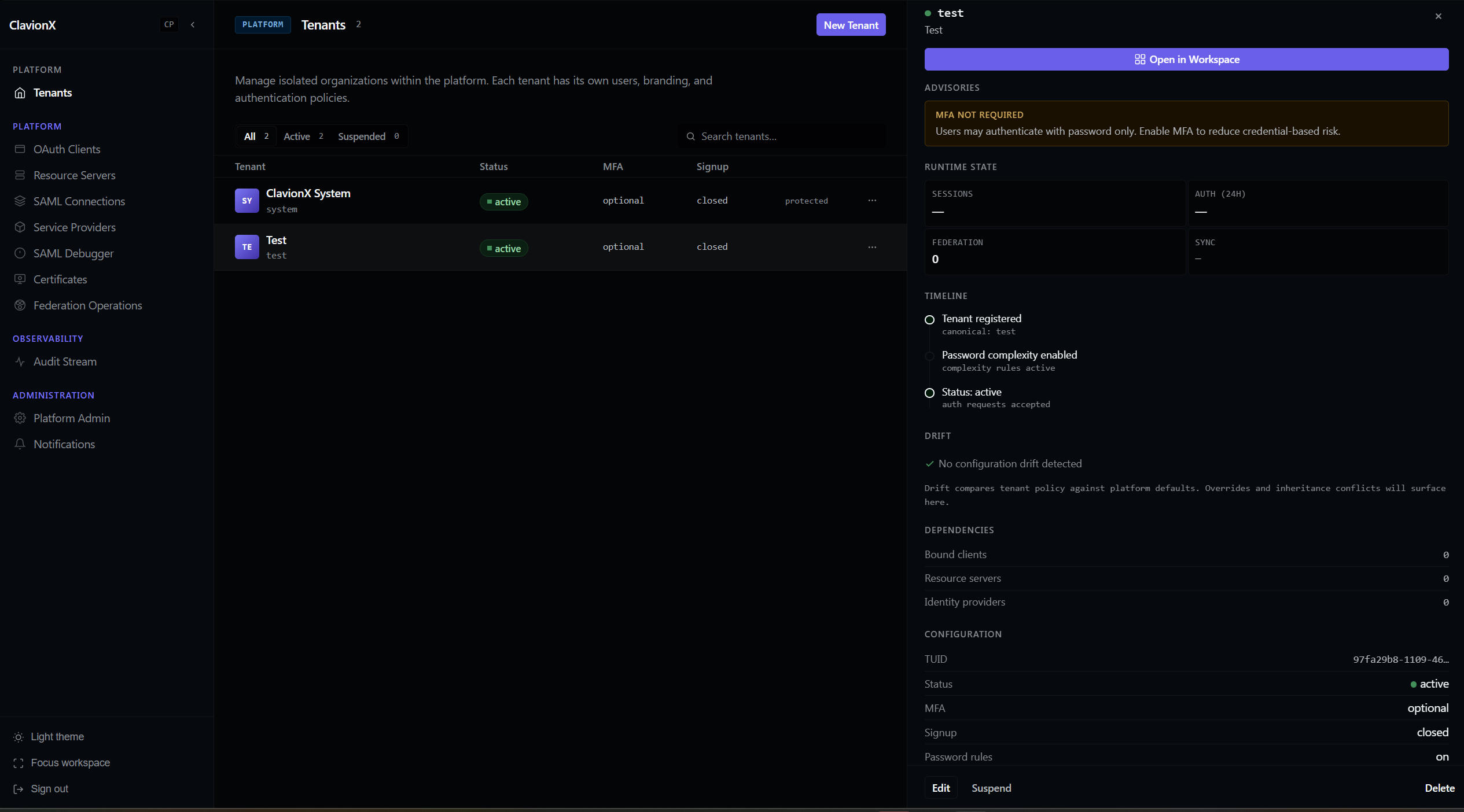
Screen 1: A platform view that lets administrators manage tenants while continuously surfacing operational context on the right — runtime posture, advisories, dependencies, timelines, and configuration state remain visible without leaving the page. If deeper investigation is needed, the "Open in Workspace" action lets you double-click into the tenant.
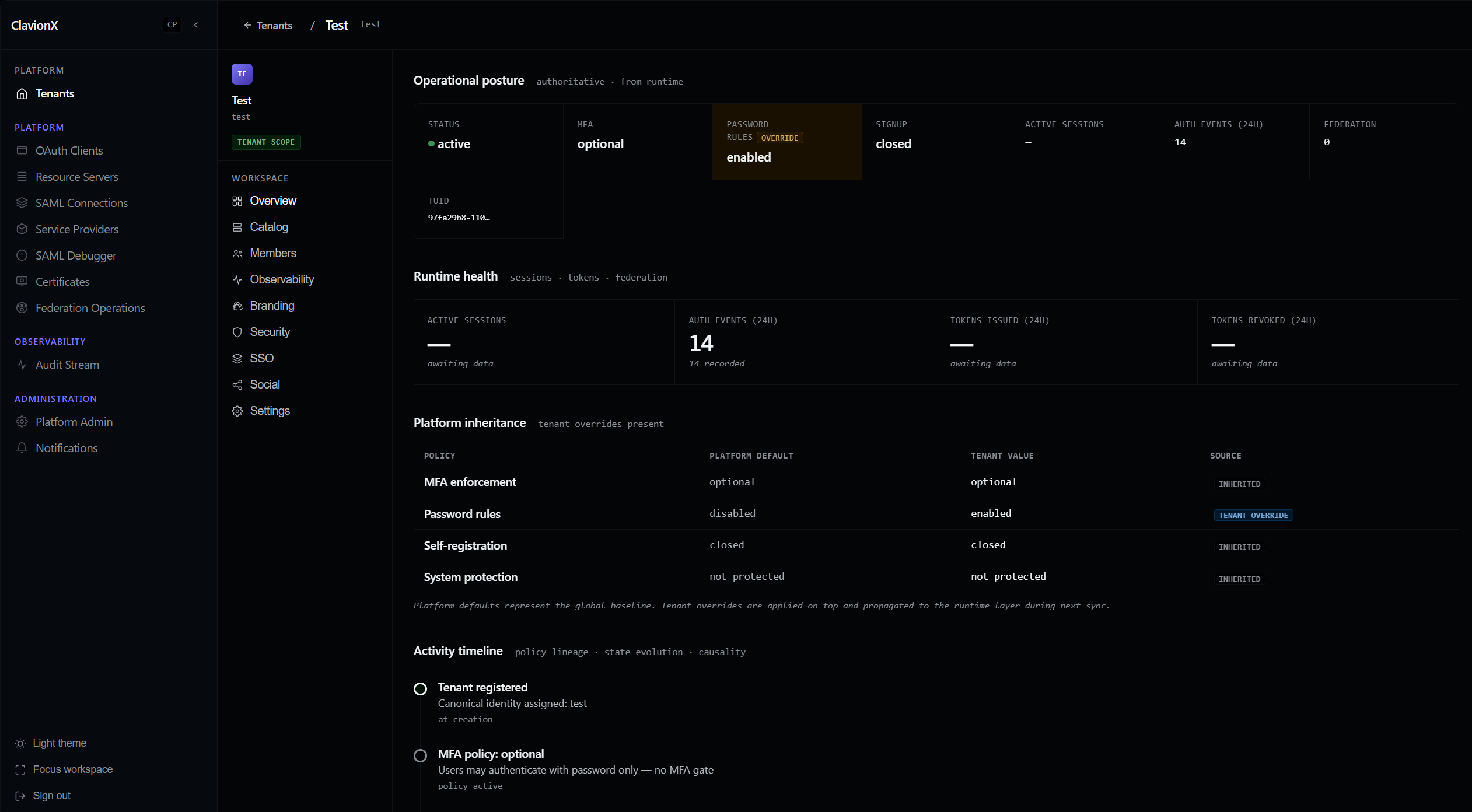
Screen 2: A dedicated tenant workspace that preserves the same three-pane experience while expanding into tenant-specific areas like Branding, Security, SSO, Observability, Members, and Settings, alongside runtime health, policy inheritance, and activity timelines.
The idea is simple: keep context visible and progressively reveal detail only when it's needed.
Identity systems are already complex enough. Administrators shouldn't have to fight the UI just to understand what's happening.
ClavionX is still very much under development, and these screens will continue to evolve. But it felt like a good time to share our first public glimpse of what we're building.
I'm genuinely curious — if you've operated IAM platforms at scale, does this workflow resonate with you? What information do you wish was always visible when administering identity systems?